
The Music WhatsApp Guide: build a fan community people want to join
Channels, Groups, the Business app or the API? How artists, DJs, labels and promoters use WhatsApp to build a fan community, and what it costs.
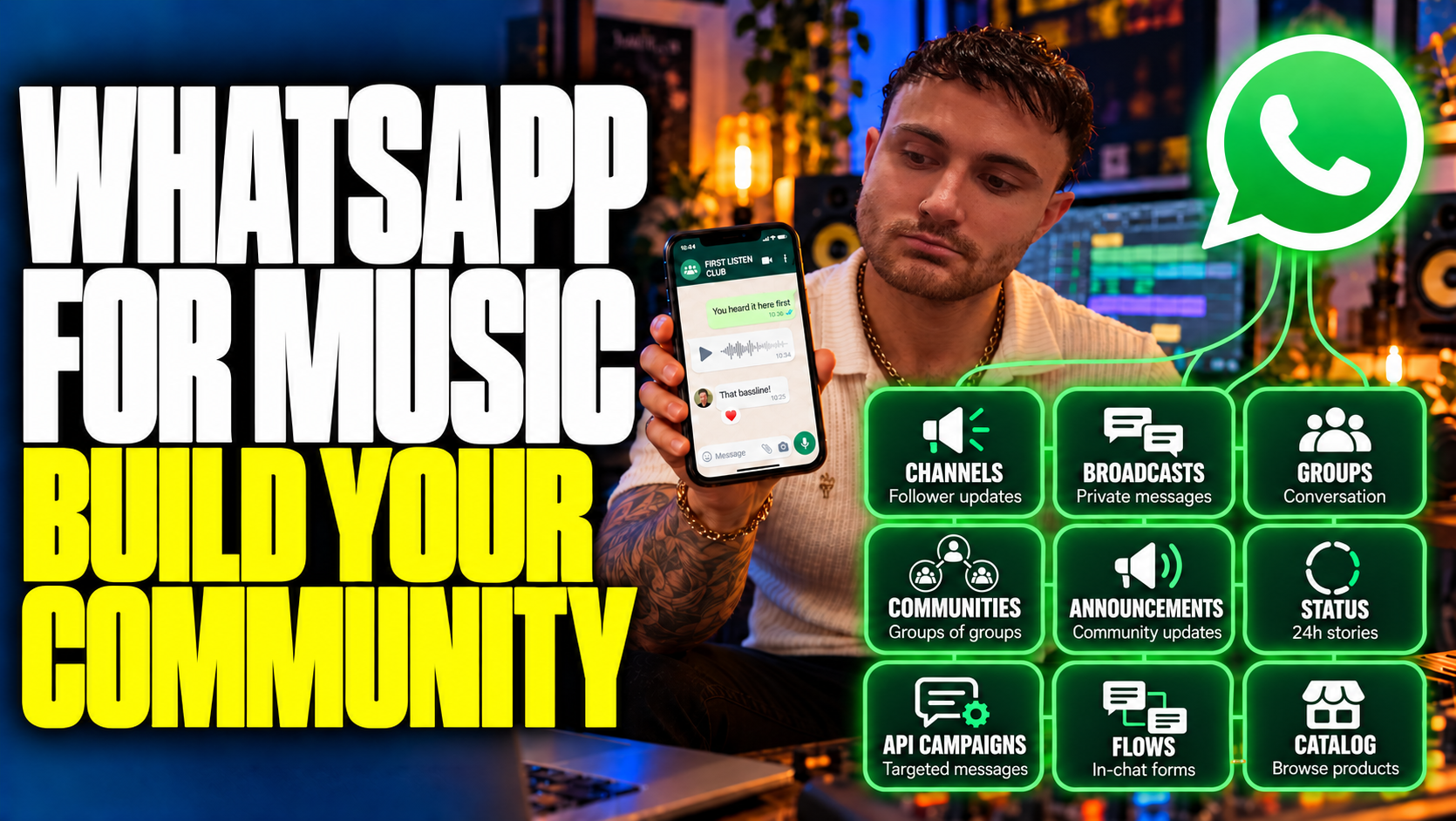
TL;DR
- WhatsApp is three things, not one: the everyday app, whose Channels, Groups, Communities and Status cost nothing to use; the free WhatsApp Business app, for enquiries you answer yourself; and the WhatsApp Business Platform (the API), which connects WhatsApp to software for targeted campaigns, automation and a team inbox. Most artists should start with the first.
- A Channel is a one-way feed fans follow. A Group is a shared chat of up to 1,024 people who can see each other's phone numbers, unless a member uses one of WhatsApp's new usernames where they are available (still rolling out in September 2026). A Community organises up to 100 Groups, with 2,000 members in total. None of them hands you a contact list, and following a Channel is not permission to message someone privately.
- The 24-hour reply window and pre-approved templates apply to messages sent through the Platform. They don't govern Groups, Channels or the chats you answer by hand in the Business app.
- On the Platform, Meta charges per delivered message: £0.0458 (about 4.6p) for a marketing template to a UK number on its rate card since 1 July 2026. From 1 October 2026, free-form replies beyond 1,000 a month per number cost £0.0159 (about 1.6p) each. Marketing templates to US numbers have been paused since April 2025.
- Permission is what keeps the channel working. UK law treats a private marketing message in an app as electronic mail, and on the Platform every block and report counts against the template that caused it.
- Pick one job first (updates, a community, enquiries or targeted campaigns), choose the tool that fits it, and give fans something worth opening.
Why WhatsApp works for music
You finish a track. Announce a show. Put tickets on sale. Then spend the next week hoping the right people see your posts.
WhatsApp gives interested fans another way to stay close: a preview while you're still in the studio, a heads-up before tickets go public, or a quick answer when they can't find the set times. And it's where they already are. In the UK it is close to universal: Ofcom's Online Nation 2025 report found that 90% of online adults used WhatsApp in May 2025, that on an average day 74% used it, and that it was the most used smartphone app in every age band. Worldwide, Meta puts it at more than three billion monthly users (April 2025). A message there arrives as a notification on someone's phone, not in a promotions tab or a feed an algorithm rations.
That access works both ways. You're entering an app people use to organise their lives and talk to people they care about. Give them something worth opening.
You can start with the WhatsApp you already have. This guide explains the free tools first, then the Business app, then the software-connected Business Platform: what each does, who it suits, and when it's worth moving further. We build the platform that runs these conversations for labels, promoters and artists, so we see what works and what quietly fails, and near the end we show where SoundOps connects the conversations to your releases, events and fan data.
Choose your route:
- I want to share music and bring fans together: start with Part 1.
- I'm answering enquiries and selling things from my phone: see Part 2.
- I need targeted campaigns, automations and a team inbox: see Part 3.
- I need to know what it costs: see the costs.
- Show me ideas for my role: jump to the practical workflows.
Which WhatsApp do you need?
There are three routes, and the right one depends on the job: the everyday app for fan spaces, the free Business app for enquiries you handle yourself, and the Business Platform when software has to send, sort and remember for you.
WhatsApp is Meta's internet-based messaging service. The confusing bit is that its apps, publishing tools and business products often get lumped together as "WhatsApp marketing".
| Route | What it is | Who it suits |
|---|---|---|
| WhatsApp Messenger | The everyday app, with chats, Groups, Communities, Channels and Status | Artists, DJs and collectives building a following and talking to fans |
| WhatsApp Business app | A separate, free-to-download app with a business profile and tools for handling customer conversations | Independent artists, labels, promoters and venues managing enquiries themselves |
| WhatsApp Business Platform (the API) | A connection between WhatsApp and business software; the software provides the interface you work in | Anyone needing automation, customer data, targeted messaging or coordinated team replies |
One caveat about the everyday app. WhatsApp's UK terms (effective 17 August 2026) rule out "any non-personal use" of it unless WhatsApp authorises it, while the Business app is provided "solely for your business or commercial use". If your fan space is part of a business, as it is for a label, a promoter or an artist trading as one, run it from the Business app, which can create Channels and Groups but, WhatsApp says, not a Community.
The Business app's core tools are free, but paid extras and business broadcast features exist. "Business app" does not mean "everything is paid", and "free to download" does not mean every send or feature is free.
The API's 24-hour reply window and approved-template rules do not govern ordinary fan Groups, Community announcements, Channel posts or manual Business app chats. They apply to Platform messaging, covered in Part 3.
Which app do you actually use?
| Your setup | Where you work |
|---|---|
| Normal WhatsApp | The familiar WhatsApp app, for your chats and fan spaces. |
| WhatsApp Business | The separate Business app, with its business profile and conversation tools. |
| WhatsApp Business Platform | Connected software. There is no separate "WhatsApp API app" to download: developers use the API to build the interface and workflows you work in. |
Signing up for the API does not mean you can register that API-only number in the normal WhatsApp or Business app and carry on there. The route for keeping an existing Business app number usable in the app alongside the API is called coexistence: see the setup choices in Part 3.
Meta provides account-management tools, but the API itself is a software connection, not a ready-made chat app. Your fans still message you through their usual WhatsApp. It is your side of the conversation that runs through connected software.
Channel, Group, Community, Status, list or campaign?
There is another distinction worth learning now:
| Tool | What fans experience | Useful music example |
|---|---|---|
| Channel | A feed of updates they choose to follow, in WhatsApp's Updates area | Release announcements, tour news, previews and links |
| Group | A shared chat where members can talk to each other | A local fan club, listening session or producer feedback group |
| Community | Several related Groups organised under one roof, with announcements | A fan club with Manchester, London and production-discussion Groups |
| Status | Short-lived updates that disappear after 24 hours | Studio clips, soundchecks and a glimpse of life on the road |
| Traditional broadcast list | The same message arrives separately in each recipient's private chat; replies come back to you | A small, opted-in list of regular supporters |
| Platform campaign | Individual business messages sent through connected software | A Manchester ticket announcement sent only to interested Manchester fans |
A Channel, a broadcast list and a Platform campaign are different things. A Channel doesn't put every update into a private chat. A broadcast list isn't a group conversation. And following your Channel doesn't subscribe someone to personal marketing messages.
What most people get wrong about WhatsApp
The failure modes are specific and repeatable, and each one is fixable.
- Treating "WhatsApp marketing" as one thing. A Channel follow, a Group membership and a subscription to private messages are three different agreements. Someone who follows your Channel has not asked for promotions in their chats, and the Platform's 24-hour window means nothing inside a Group.
- Adding people instead of inviting them. Dropping ticket buyers into a Group shares every member's phone number with strangers. Loading an old phone list into a Platform campaign messages people who never agreed, and enough blocks and reports get the templates behind it paused.
- Running a fanbase from broadcast lists. A traditional list holds 256 contacts and only reaches people who saved your number. Fine for a street team; unworkable for a fanbase.
- Treating it like email. Weekly newsletters and long link roundups read like a campaign in an app people use for their family. Short, timely and personal is the register.
- Opening every format at once. A Channel, a Community and five Groups, with nobody moderating any of them. One well-run space beats five empty ones.
- Missing the 24-hour window. On the Platform, a fan asks a question on Tuesday, the team replies on Thursday, the free-form window has closed, and the reply can't be sent. Only an approved template gets you back in.
- No way out. "Reply STOP" only works when you or your software act on it. A fan who can't find your exit uses WhatsApp's own block and report buttons instead, and on the Platform those count against you.
Why does this make sense for music?
Because music already gives you something worth talking about, and WhatsApp lets fans take part in it rather than watch it scroll past.
Think of the tune taking shape, the first test on a dancefloor, the artwork debate, the chaotic journey to a show. On WhatsApp you can ask which version of a track fans prefer, share a short voice note explaining a release, or give a local crowd first access to the next night.
It also addresses two practical problems. Social posts compete for feed space, and repeatedly paying to reach people who already like your work can be frustrating. A WhatsApp subscription or conversation gives fans another route back to you, and a short clip or message fits naturally into how people already use their phones.
But keep the promise realistic. WhatsApp is owned and controlled by Meta, not decentralised. Fans can mute you, delivery can fail, and a Channel following isn't a portable customer database. Build an email list alongside it.
Use each channel for a job it handles well:
| Channel | A good job for it | Example |
|---|---|---|
| Instagram / TikTok | Discovery and public conversation | A clip that introduces new listeners to your sound |
| Detail, context and a relationship you can maintain across providers | The story behind an EP, tour dates and a longer monthly update | |
| Short updates, useful exchanges and fan participation | An early ticket link, a voice note or a question answered quickly | |
| SMS | Brief alerts without requiring a messaging app | An essential venue change for people expecting event updates |
Don't send the same promotion through all four within five minutes. Let fans choose how they hear from you, and coordinate the timing.
Give fans a part in the release, not just a link on release day
A community becomes valuable when people feel involved before you ask them to buy anything. They heard the early version, argued for their favourite track and watched the sleeve come together. Release day is something they have been looking forward to.
That investment can turn into practical support: pre-orders, tickets, recommendations to friends and people showing up early to hear your set. A small group that acts can matter more than a much larger audience that scrolls past.
For electronic artists and labels, there is a concrete chart connection. Beatport says eligible pre-orders from the 28 days before release count across the first week of charting. An engaged community buying through the relevant Beatport release link can therefore help release-week chart momentum. That is different from charting before release, and a pre-save is not a purchase. Rankings still depend on the chart's rules and on how other releases perform.
Try this: share a first listen, explain what the record means to you, then offer the pre-order link to people who want to support it. Thank them afterwards and show them what their support helped make possible. Keep giving them reasons to stay between releases.
Turn fan loyalty into a reason to book you again
Imagine a promoter books an artist with an active local WhatsApp following. The artist shares an exclusive ticket link as a thank-you to those fans. They buy early, bring friends and give the promoter a head start before the public announcement.
If the full ticket inventory is available in that early-access window, an event could sell out before public sale even begins. If only a presale allocation is available, it is that allocation which can sell out. This is an illustrative booking scenario, not a promise that every fan Group will fill a room.
For the promoter, that is a valuable kind of draw: people who actually buy tickets in the right city. For the artist or booking agent, tracked ticket sales are evidence to bring to the next booking conversation. "Our audience bought tickets for this show" is much more useful than a follower count on its own.
Early access is already part of real venue community offers. London's E1 promotes WhatsApp spaces alongside a membership offering that includes presales and early access. That shows the tactic in use; it doesn't show that any particular show sold out through WhatsApp alone.
Agree the allocation, opening time and tracking link with the promoter. Make the benefit real, and avoid training your closest fans to expect a sales pitch every time you appear.
What it looks like in practice
Two dated examples from big campaigns, each with a lesson that scales down.
The BRIT Awards (2025 and 2026). The public vote for five genre awards ran exclusively on WhatsApp in 2025, through a chat link and QR codes at Outernet London, with a BRITs Channel for updates, and WhatsApp ran the Song of the Year vote again in 2026. No vote counts were published. The lesson is the mechanic: a QR code that opens a chat is the cleanest way in, and it works at the scale of a national broadcast.
The Cure, Songs of a Lost World (Polydor, 2025). A mystery campaign dropped track snippets into WhatsApp, and Music Ally reports more than 55,000 fans joining "the band's WhatsApp group" by email signup (December 2025). At that size it can't have been one ordinary Group, which holds 1,024, so read "group" loosely. The lesson holds either way: the email list is where the WhatsApp audience came from. Invite, never import.
Part 1: Start with the WhatsApp you already have
You don't need an API account to build a useful fan space. Pick the format that matches what you can realistically maintain.
Use a Channel for updates at scale
A Channel is a good starting point if you want to share music and announcements without opening a large group chat. If you run it from the Business app, check that the Updates tab offers Create channel before you print anything: WhatsApp's help for that app says creating a channel "might not be available to you yet".
Fans can follow it, react to updates and vote in polls. They don't see a directory of other followers' phone numbers. Channels can be found through WhatsApp's directory and search, as well as shared links and QR codes. That creates a discovery route, although being listed doesn't guarantee new followers. You can add up to 16 admins besides yourself, so a manager or label rep can post too.
Give people a reason to join that goes beyond "follow us somewhere else". For example:
First listens, the stories behind the tracks and early access to our next shows.
Then deliver on it. A simple sequence could be:
- A short studio clip before the release announcement.
- A voice note explaining the part you almost removed.
- A poll asking which track fans want to hear in the next mix.
- The finished release with one listening link.
Add your Channel link to your artist website, smart links, social bios and relevant emails. Put its QR code on the merch table or a poster with a clear explanation of what people get. Following a Channel doesn't switch its notifications on, because WhatsApp mutes new follows by default, so invite followers to turn them on if they want timely updates, and don't promise every post will trigger a notification.
Channels can help sell tickets and music: include a link to the relevant page. Their limitation is that you don't get an exportable list of follower contact details or individually personalised messages. A Channel post saying "Hi Sam" is the same post for everyone.
Channel insights show reach, follows and unfollows, and top regions, alongside reactions and poll results. Use them to see what attracts attention and where your audience is growing.
Use a Group when you want people to participate
A good fan Group has a reason to exist between announcements.
Try a monthly listening session, a producer feedback circle, a small local street team or a place for people attending the same show to meet. Let members contribute: ask about a work in progress, run a Q&A, share an unreleased clip you're happy to circulate, or invite suggestions for the next event.
Some of the best posts will have nothing to sell. Talk about the mix that isn't working, the cancelled train or the lesson from a poorly attended night. Share what you're comfortable sharing; you don't owe a group constant access to your life.
Before inviting people, decide:
- What the Group is for, and whether self-promotion is allowed.
- Who moderates it and how members can report problems.
- Who can post, add people or change the Group's details.
- Whether new members need admin approval.
A Group currently supports up to 1,024 members, but there's no prize for filling it. Start with a number you can look after. Admins can remove disruptive members, delete problematic posts and adjust permissions.
Explain the privacy trade-off before people join: ordinary Group members can see each other's phone numbers. WhatsApp's new usernames, where they are available, show a username instead to members who haven't saved the number, but they were still rolling out in September 2026, so assume numbers show. Putting a Group inside a Community doesn't remove that visibility within the Group. Use an invitation people can choose to accept; don't quietly add your ticket buyers.
Use a Community to organise several Groups
A Community brings related Groups together. For a touring artist, that might mean local fan Groups plus a production discussion and a central announcements space. Fans join the conversations that matter to them instead of receiving every local update.
It's an organisational tool, not one enormous chat. It can also become a lot of work: five quiet, well-run Groups are more useful than twenty empty ones.
WhatsApp's Help Centre lists up to 2,000 Community members, up to 100 Groups and up to 20 Community admins. Those limits are not multiplied together: WhatsApp counts everyone in the Groups and the announcements space towards the one 2,000 cap, so adding Groups does not add capacity.
The announcements space offers more phone-number privacy than an ordinary Group, with exceptions including Community admins and people who already have your number. Don't describe the whole Community as anonymous.
One easy-to-miss detail: WhatsApp currently says you cannot create a Community in the Business app. Plan a Community-led setup before moving an account between apps.
Can you split by country to grow beyond one Community?
Yes: organise your audience into separate regional Communities or standalone Groups. An artist might run a UK Community and a Spain Community, each with its own relevant conversations and admins. That's a network of separate spaces, each with its own limits; adding UK and Spain Groups inside the same Community does not increase that Community's capacity.
There is a music-industry example of the underlying strategy: Música Latina, part of JN Music Group, describes WhatsApp communities segmented by genre and geography. That supports organising around relevant audiences; it isn't a workaround for WhatsApp's capacity rules.
| Space | What belongs there |
|---|---|
| Artist-wide Channel | Release news, major announcements and links to local spaces |
| UK Community | UK dates, local fan conversations and relevant early access |
| Spain Community | Spanish dates, local information and relevant early access |
| Smaller city Group | People meeting at a particular show, with a named moderator |
Only open a regional space when you can give it useful activity and someone to look after it. Publish a simple directory of join links, let fans choose their region and keep essential release news consistent across the network. For broad announcements without maintaining lots of chats, a Channel may be the better starting point.
Use Status for the small moments
Status is WhatsApp's answer to Stories: updates that disappear after 24 hours.
A soundcheck, a ten-second bassline, the first vinyl test pressing or a question about your next mix can all work here. You can invite replies with a simple question on the image; you don't need a particular interactive sticker to start a conversation.
For ordinary contact-based Status visibility, both people generally need each other's number saved, and your privacy settings still apply. That's why "save our number" can be useful. It isn't a universal deliverability trick, and it isn't required to follow a Channel.
You can keep personal and artist life separate by choosing the Status audience carefully, or by using a dedicated artist number.
What about music stickers and the Audio Library?
The Audio Library is the music catalogue inside WhatsApp, not a folder where you upload any unreleased track. WhatsApp has introduced music for Status, including music stickers, and music distributors report its expansion into Channels.
For an artist, the practical steps are:
- Ask your distributor whether your release is delivered to Meta's music catalogue for WhatsApp use.
- Search for the track in the music picker on your phone.
- Check the relevant Status or Channel composer before planning the post.
- If your track or the feature isn't available, use a cleared original clip or a listening link instead.
Availability can depend on territory, rights, account and rollout. Don't promise that every UK account has every music feature, or that an unreleased song will be available before release day.
A snippet with a few words about how it was made gives fans something to connect with. Multimedia isn't a magic engagement multiplier; use it when it makes the message better.
Where traditional broadcast lists still help
A traditional broadcast list sends one message into several separate chats. Recipients don't see the list or each other's replies, and their answers come back privately.
WhatsApp lists a maximum of 256 contacts per traditional list, and recipients need to have saved your number. That can be perfectly useful for a small, permission-based circle. It becomes cumbersome when you're maintaining several lists by hand.
Music tried running on them a decade ago. Music Ally's 2017 roundup found a band's album campaign reaching more than 600 fans split across 256-cap lists, and Forest Swords turning down the chance to make 700 fans who messaged him into a mailing list, because unsolicited promo on a phone "feels a bit violating". The appetite was there; the tool wasn't built to carry a fanbase, and the instinct about respect still holds.
Don't confuse traditional lists with the newer paid business broadcasts offered in some Business app markets. Their pricing and availability are separate from traditional lists and Platform campaigns.
A sensible free starting point: one Channel for updates, plus a small Group if fans want to talk to one another and you have time to moderate it. You don't need to open every format at once.
Part 2: Use the Business app to make everyday conversations easier
The WhatsApp Business app makes sense when your inbox starts filling with "what time are doors?", "have you got a large?" and "who handles bookings?".
You can have personal WhatsApp and WhatsApp Business on the same phone, using different phone numbers. You don't need a second handset, but the same number can't be registered in both apps at once.
Set up a dedicated business identity so fans know who they're contacting and when to expect an answer.
Set up the tools that save real time
| Tool | What it does | A useful setup |
|---|---|---|
| Business profile | Gives people business and contact information | Artist or label name, website, description and enquiry hours |
| Greeting message | Automatically welcomes people in the situations covered by your settings | Explain what the inbox handles and when someone will reply |
| Away message | Sends an automatic response when you're unavailable | Give a realistic response time and link to essential event information |
| Quick replies | Saved responses that you select and send | /tickets, /times, /shipping, /bookings |
| Labels / lists | Help organise conversations; names and availability vary by app version | Booking enquiry, order issue, needs reply, resolved |
| Catalogue | Lets people browse eligible products or services | Current merch, with clear descriptions and a route to purchase |
These tools reduce repetition while leaving you in control of the conversation. A quick reply is a saved answer, not an automatic keyword rule: a fan typing TICKETS doesn't, by itself, trigger your /tickets reply.
Your greeting could say:
You've reached the label team. We check messages Monday to Friday, 10am to 6pm. For this weekend's event info: [link]. For anything else, leave us a message and we'll get back to you.
That acknowledges the enquiry without pretending somebody is sitting at the phone all night.
Make starting a conversation easy
A wa.me link opens a WhatsApp chat with your number. It works with any active WhatsApp account; it isn't exclusive to the Business app, which also has built-in ways to share your business contact link.
A pre-filled link can put a message such as "I'd like booking information" into the text box. The fan still needs to press Send. The link neither sends the message nor creates an autoresponder.
Put different links beside different actions: a booking enquiry on your website, an event question on the ticket page, or a clearly explained signup invitation.
Want occasional WhatsApp messages from [Artist] with release news and early ticket access? Tap below and send the signup message. You can stop at any time.
If the resulting text clearly says the fan wants those updates, it can help record what they agreed to. A message saying "what time are doors?" is only an enquiry, not permission for future promotional messages.
On the Platform, the same trick drives automation. "Scan for Saturday's set times" opens a chat with TIMES ready to send; a keyword rule answers with the current information, which saves the fan a search and your team another identical reply. For several events on one number, give each event a keyword that doesn't contain another one (MANCHESTER and LEEDS, not TIMES and TIMESMCR), or reply with an event menu, so people get the right answer.
Shortcut: SoundOps gives every connected number a wa.me link, and every keyword on an active auto-reply a ready-made one with the keyword already typed; you can also write your own pre-filled message, such as a booking enquiry. To print one as a QR code, put the link in a Short smart link and download its code.
Know when the app has become the bottleneck
You may be ready for connected software when people get duplicate replies, nobody knows who handled an enquiry, or your audience lists need frequent manual updating.
Another sign is that you want a message triggered by an action: a keyword, a completed form or an order. Saved replies and labels organise manual work, but they aren't an automated marketing system.
Part 3: Use the Business Platform when you need connected campaigns
The WhatsApp Business Platform, often called the API, connects WhatsApp to software that manages conversations and customer data.
You don't need to be a huge agency to benefit. A small promoter receiving the same question a hundred times could have a stronger reason to automate than an artist with a large but quiet Channel. The important question is what you need the system to do.
What connected software adds
The API is the connection; the software you connect supplies the workspace around it. What a good setup lets you do:
| What you want to do | How it works on the Platform | What it changes for the fan or team |
|---|---|---|
| Answer repeat questions | Keyword replies with text, links, audio, a location or interactive choices | Fans get useful information without waiting for a person |
| Collect information | A Flow (a short form inside the chat) whose answers land on the fan's contact record | Your team receives structured answers instead of piecing together a chat |
| Follow up appropriately | Audiences built from what fans told you and what they agreed to | Messages reflect interests people actually shared |
| Coordinate a release or event | Campaigns and keyword replies scheduled around the date | Messages and replies are prepared alongside the wider campaign |
| Handle the exceptions | A shared inbox the whole team works from | A person picks up the conversation when a preset answer isn't enough |
A phone country code doesn't tell you which city someone lives in. Ask through a Flow, or use relevant information they've given you.
The real advantage: conversations that remember
A WhatsApp reply is useful. A reply connected to what a fan has told you is more useful.
Say someone sends TOUR. A Flow asks which city they're interested in and whether they want future WhatsApp tour announcements. Their answers land on their contact record. When you announce Manchester, you message the people who asked about Manchester and agreed to hear from you, instead of messaging everyone about every date.
The CRM remembers the relevant information. WhatsApp handles the conversation. Automations respond to actions, such as a completed Flow. A launch plan coordinates the activity around a release or event date.
For a label, the useful detail might be an interest in vinyl. For an agency, it could be the date and budget behind a booking enquiry. For a promoter, it might be which night someone wants to attend. You collect it once, store it where it belongs, and use it to make the next interaction more relevant. A Channel follow or a Group join doesn't identify anyone in your CRM; use an explicit signup when you need that connection.
The 24-hour window, without the jargon
For Platform messages, each new message from a fan opens or resets a 24-hour customer service window. During it, you can send ordinary conversational replies: text, images, voice notes, buttons, lists, product cards. Outside it, you can only send an approved message template.
Say a fan messages at 3pm on Tuesday. The window runs until 3pm on Wednesday unless they message again. Your reply doesn't reset the clock, and sending a template doesn't by itself reopen the window for free-form replies; the fan answering it does.
The rhythm that works: an announcement goes out as an approved template, fans reply, each reply opens a window, and inside it your team talks like humans.
Templates, and why the category matters
A template is a pre-approved message format, usually approved within a day. It can still sound human and include images, video, buttons and personalisation. Meta sorts templates into three categories:
| Category | Music example | Watch out for |
|---|---|---|
| Marketing | New release, ticket offer, merch drop or abandoned-cart reminder | A promotional message stays promotional even if you call it an update |
| Utility | A specific order update or essential information about a booking | Keep it tied to the customer's transaction or request and free of promotion |
| Authentication | A one-time verification code | Usually handled by your product or login system |
"Doors have moved to 8pm for your booked show" and "doors are at 8pm, buy tickets for next month too" are different messages. Mixed promotional content can change the category, and the category decides the price.
What does it cost?
Groups, Channels, Status and manual Business app chats cost nothing to send. On the Platform there are two bills: Meta's messaging charges, and whatever your software provider charges. A provider may charge a subscription, usage fees or both, and its "conversation allowance" is its own unit, not Meta's.
Meta has charged per delivered message since 1 July 2025, with the rate set by the message's category and the recipient's country, and it changes the card only on quarter days (1 January, 1 April, 1 July and 1 October), with notice. On its GBP rate card effective 1 July 2026, a marketing template delivered to a UK number costs £0.0458, about 4.6p, and a utility or authentication template £0.0159, about 1.6p.
The reply window changes on 1 October 2026. Until then, free-form replies inside an open window cost nothing, and neither do utility templates sent inside one. From 1 October each business number gets 1,000 delivered free-form replies a month at no charge, with no rollover, and Meta charges the utility rate for every one after that; utility templates inside the window are charged again too. Add a payment method to your WhatsApp Business Account before you need it: with none on file, Meta stops delivering your replies once the free tier is used up. The window governs what you can send; the pricing rules govern what it costs.
One route stays free: a fan who messages you from a click-to-WhatsApp ad or a Facebook Page button opens a 72-hour free entry point window, provided you reply within 24 hours, and everything you send in it, templates included, costs nothing.
A worked example: one marketing template delivered to 1,000 UK fans is about £46 in Meta's fees (1,000 x £0.0458), before your provider's charges, and three sends are about £137. If a hundred of them reply and your team sends each three messages back, those 300 replies sit well inside the free 1,000 a month.
WhatsApp isn't automatically cheaper than SMS. Compare the actual destinations, message types and software costs for your campaign, and check the current Meta pricing documentation before you budget.
The United States version. Meta stopped delivering marketing templates to US numbers on 1 April 2025, and the pause was still in force in late September 2026 with no end date announced. Utility and authentication templates and replies inside the window still deliver, so order and event updates work, but promotional sends to US numbers fail. Collect US consent anyway and serve those fans promotions by email and SMS.
Quality ratings: how spam stops delivery
Every Platform number carries a quality rating, which Meta shows as green, yellow or red. It's built from how recipients reacted over the past seven days, weighted towards the most recent: blocks, reports, mutes, archives and the reasons people give when they block you.
Since October 2025 the enforcement sits on the template. The one that drew the blocks is paused for three hours, then six, then disabled, and a template few people read is marked low quality too. New and unproven templates are paced: Meta holds back part of a large send until early recipients have reacted, and drops the rest if they react badly. Meta can still restrict a number for breaching its messaging policy.
Sending capacity grows with you. A new business can message 250 unique people a day, 2,000 once it's verified or has sent 2,000 clean messages in 30 days, then 10,000, 100,000 and unlimited. Each step is automatic when quality holds and you've used at least half your limit in the past week; a bad week no longer cuts the limit, but it stops it growing.
Outside the UK, the EEA, Japan and South Korea, Meta also caps how many marketing templates any one person receives from all businesses combined, and silently drops the rest. A UK list is exempt at the time of writing; fans in India, Brazil or the Middle East should expect some marketing sends to vanish however good the list.
The practical rule: start with a small, relevant audience, and if complaints rise or a template is paused, fix the message and the audience before you send again. One bad send can undo months of good behaviour, because the rating weights recent reactions most. That's the structural difference from email, where a spammy campaign mostly just underperforms: on WhatsApp it damages the pipe.
Automate useful answers, with a route to a person
Start with the questions you already answer repeatedly:
| Incoming message | Useful response | Marketing subscription? |
|---|---|---|
| TIMES | Doors, set times and last entry for the selected event | No |
| TICKETS | The relevant ticket page | No |
| SHOP | Current shop link or supported product choices | No |
| JOIN after a clear signup invitation | Confirm the agreed updates, frequency and way to leave | Yes, if the invitation and the fan's action establish valid permission |
| STOP | Stop promotional sends and confirm the change | Withdrawn |
Don't subscribe everyone who contacts support. Store the difference between a request for information and an agreement to receive marketing.
Keep fallback replies useful, and make it easy to reach someone when the automation can't help. If you offer "Talk to the team", someone must actually monitor it.
Choose keywords fans won't type by accident. Many tools match a keyword anywhere in a message, so a short word hides inside longer ones: DATES inside "updates", SHOP inside "workshop", MIX inside "remix". Test each keyword against real messages, and where your tool offers exact matching, use it for keywords sent from a link, where the fan sends the keyword on its own.
Button behaviour needs testing too. A link button opens a destination; a reply button sends an interaction your system must handle, and in some tools a tap also reads as if the fan had typed the button's label, setting off a keyword rule as well. Test every button before the send, so no fan taps "Get tickets" into silence, or into two answers at once.
Use Flows when a short form is better than ten messages
WhatsApp Flows are structured forms inside a chat. They collect information without sending someone through a long back-and-forth.
A booking enquiry might ask for event date, location and budget. An event signup might collect the details needed for a guestlist request. A fan-preference form could ask which city or release formats someone wants updates about.
Only ask for information you need. Make it clear whether submitting a form confirms a place or merely requests one. And keep any optional marketing signup separate from the service they came for.
Can you keep using the Business app too?
Yes, through coexistence, if your existing Business app account is eligible and your provider supports it.
Coexistence connects an existing WhatsApp Business app number to the Platform while keeping it usable in the Business app. You keep the familiar phone interface and add connected tools on the same number. It's specifically a Business app onboarding route, not a way to connect ordinary personal WhatsApp to the API. Eligibility and sync limits apply; don't assume every app feature or historical conversation transfers unchanged.
For example: a promoter already answers regular customers through the Business app. They want to keep doing that from their phone, while colleagues handle team replies, permitted ticket campaigns and guestlist-request Flows in connected software. Coexistence adds those tools without introducing a different public-facing number.
Choose the route before connecting:
| What you want | Suitable route |
|---|---|
| Keep using your existing Business app number in the app and in connected software | Coexistence, subject to Meta's eligibility and onboarding requirements |
| Keep your existing app account separate from your new Platform setup | Connect a different eligible phone number to the Platform. You now have two separate numbers and conversation streams |
| Use your existing number through connected software and stop using it in the Business app | The supported migration to an API-only setup. App access on that number isn't kept through ordinary API onboarding |
If keeping the existing Business app account active is essential, choose coexistence or use a separate number for the Platform. Don't delete the existing account or try to re-register an API-only number in the app as a shortcut. An API-only number is managed in the software you connect: its inbox is where your team replies.
Coexistence adds the Business app as another place to handle supported conversations; it doesn't remove the Platform's template, reply-window or pricing rules for messages sent through the API.
Connect WhatsApp to a launch, not just a send button
A campaign sends a message to a chosen audience. An automation reacts to an event or action. A launch plan coordinates work around a release or event date. They solve different problems, and they work best together.
For a release, you could prepare a preview keyword, an email telling the story, a release-day WhatsApp template and the supporting Instagram posts in one plan. For a club night, the plan might include an announcement, the ticket on-sale, event-information replies and a post-event follow-up.
Putting a step on a timeline isn't the same as making an unfinished message ready to send. Complete the content, pick the audience and the approved templates, then check the plan's schedule and approvals. The time saving comes from preparing the connected pieces while you have time, instead of updating links and answering the same questions when doors are about to open.
Practical WhatsApp ideas for your part of the music industry
These are example workflows you can configure, not case studies promising particular results. Start with the problem you recognise and adapt it to your audience.
Artists: turn a release preview into a useful conversation
The problem: people like the teaser, but finding the track or staying in touch takes another few steps.
Share a link with PREVIEW already typed and set up a reply with a cleared audio clip. Follow it with choices such as Spotify, Apple Music or the release page. The fan hears something immediately and chooses where to go next.
"Want the first listen? Tap the link and send PREVIEW. If you'd also like release updates, we'll give you a separate signup option."
Send the later promotional message only to the people who agreed to receive it. The preview request itself doesn't sign them up for everything.
Other useful ideas: fan Q&As in a Group, artwork polls in a Channel, a short voice note about the release, and asking which city fans want gig updates for before you plan a tour.
In SoundOps: the Audio Preview + Listen blueprint sends the clip, then Spotify, Apple Music and buy buttons with a rule answering each one, and the release Launch Plan templates include keyword replies, such as LISTEN, that switch themselves on and off around release day.
DJs: make mixes, dates and booking information easier to find
The problem: requests for the latest mix, track IDs and availability arrive in different places, often while you're travelling or playing.
Set up MIX to return your latest mix link, DATES for upcoming shows and BOOK for a structured booking enquiry. Use specific keywords when you offer an ID or a preview; one generic keyword shouldn't accidentally return last month's tune. For touring, an interactive city list can point people to the right event page. Set up the choices and links first, then test each one.
What you save: repetitive link sharing and the first round of "which date, where and what budget?" questions. Availability and acceptance still need checking by a person.
In SoundOps: keyword rules reply with links, audio and interactive lists, and the booking-enquiry Flow template collects the date, venue or city, event type, budget range and email.
Record labels: connect discovery, submissions and buying interest
The problem: the fan who wants vinyl, the DJ asking about a promo and the artist submitting a demo all arrive at the same inbox.
Give each journey its own entry point. LISTEN can return a release smart link. VINYL can show eligible physical products or send people to the release page. DEMO can return your submission form link, so music lands in the review process you already use rather than in a chat thread.
Keep promo servicing apart from general fan marketing. A short WhatsApp reply can point an appropriate recipient towards the right process without turning every fan into a promo recipient.
Other useful ideas: a vinyl-interest tag, a restock-interest reply, a catalogue spotlight in a Channel, and a release plan that runs the fan announcements alongside the separate promo campaign.
In SoundOps:
DEMOcan return your SoundOps submission inbox link, so demos arrive in the review queue with waveform playback and ratings, and a Flow's answers can be mapped onto the contact record and tagged.
Promoters: capture guestlist requests without losing the details
The problem: "can you put me plus three down?" arrives through several inboxes, with missing names, dates and event details.
Put a GUESTLIST link on the event page. Have it open a short form collecting the information you need, then return a clear acknowledgement:
"We've received your request for Saturday. This isn't confirmation of entry yet: the team will confirm separately."
Decide separately who approves requests and how approved names reach the door list. Don't promise that submitting a WhatsApp form creates a valid ticket, reserves capacity or checks anyone in. If entry is paid, send the fan to the event's proper ticket checkout.
Another useful workflow: promote a real early-access window to the relevant opted-in audience, then prepare TICKETS, TIMES and LOCATION replies so the campaign doesn't create a mountain of manual questions.
In SoundOps: the guestlist Flow template collects the request, responses can be exported as a CSV, and a completed Flow can trigger a follow-up automation; approved names are added to the event's guest list by your team.
Venues: build a useful information desk
The problem: staff answer the same questions before every night, then spend the following morning sorting lost-property messages.
Set up replies for door times, transport, entry requirements and ticket links. A location reply can send a map pin. Use an event menu or event-specific keywords when several shows are on sale.
For lost property, a LOST keyword can explain the collection process and ask for the event date, a description of the item and a way to follow up. A short form makes those answers easier to review; the team checks the physical items and replies in person. That's a structured first response, not an automatic item-matching service.
What you save: the repetitive first response and the missing-information chase. Keep ownership details out of public Groups, and give urgent welfare enquiries a direct staffed contact rather than a form.
In SoundOps: keyword rules can send a map pin, a custom Flow collects the lost-property details, and the team follows up from the shared inbox.
Festivals: help people before, during and after the weekend
A festival has several different information needs. Plan them separately:
| Stage | Useful WhatsApp experience | What to set up |
|---|---|---|
| Before arrival | Ticket holders ask for travel, camping and entry information | Event-specific keyword replies, links and location messages |
| During the event | People choose the stage or information they need | Interactive lists or buttons pointing to current information |
| After the event | Fans ask for lost-property help or complete a short feedback survey | A LOST keyword, a short form and staffed inbox follow-up |
| Next edition | Interested fans receive an appropriate announcement | Explicit signup, a CRM audience and an approved campaign template |
Keep one authoritative event-information page and link to it when details change often. A copied set-time reply won't update because you edited a page elsewhere.
Prepare the event messages alongside the email and social activity. Treat WhatsApp as a convenience channel: patchy festival reception makes it unsuitable as the only route for essential on-site information.
In SoundOps: the before, during and after replies are keyword rules with links, location pins and interactive lists, and the next-edition announcement goes to a segment as an approved template, scheduled in a Launch Plan alongside the festival's emails.
Booking agencies and managers: get an enquiry ready for a human
The problem: "How much for your artist?" gives an agent almost nothing to work with.
Add a booking link to artist profiles and the agency website. It can open a pre-written message asking for the artist, date, venue, capacity and budget, or a BOOK keyword can return a booking form inside the chat. Check availability, commercial terms and the booking record before confirming anything to the promoter.
The immediate benefit is a better-qualified conversation with less back-and-forth. A form response isn't a confirmed booking, and it only lands in a pipeline if someone has set that handoff up and checked it.
Other useful ideas: a roster-information link, an event-brief form, or a request for an artist's technical information. Make sure private documents go only to the intended people.
In SoundOps: the booking Flow collects and tags the enquiry, and your team opens the deal in Bookings, where the roster calendar, holds and offers live.
Producers, educators and music services: route enquiries by intent
A producer might use COLLAB to collect a project brief. An educator could use LESSON to share a free preview and answer course questions. A studio could collect the type of session, preferred dates and contact details before arranging a call.
Keyword replies and forms give you the reusable parts: the invitation, the immediate answer and the structured follow-up. Set up different routes for different needs instead of replying to every enquiry with the same sales pitch.
Digital products such as sample packs and downloads belong in your wider shop strategy. A product being sellable on your website doesn't make it eligible for Meta's catalogue, so check the current commerce rules before you advertise a digital-product catalogue.
In SoundOps: the Sample Pack Sales, Online Course and Beat Store blueprints cover the invitation and the first answer, a Flow takes the brief, and sample packs and downloads sell through your own shop.
Sell eligible physical products through catalogue checkout
For vinyl, T-shirts and other eligible physical merchandise, the shopping journey can start inside the conversation.
Products synced to a Meta catalogue can be shown in the chat: the whole catalogue, one product or a selection. The fan browses and submits a cart, and a checkout link comes back into the chat for payment. Browsing starts in WhatsApp; payment happens through the linked checkout. Never promise that the whole purchase happens inside WhatsApp.
A useful merch campaign might be:
- Show the actual product and tell the relevant audience when it becomes available.
- Let
SHOPopen the selection andSIZEreturn the size guide. - Use the linked checkout for payment and delivery details.
- Handle the remaining questions in the inbox.
Catalogue connection, product eligibility and payment setup all matter, and Meta's commerce rules decide what may be listed. Keep the website shop and catalogue eligibility as separate questions.
In SoundOps: products and variants sync to a connected Meta catalogue, a submitted basket gets a Stripe checkout link back in the chat, paid through your own Stripe account, and the order confirmation and any download links arrive in the same thread.
Pick one workflow before building ten
If your biggest headache is event questions, start with those. If fans struggle to find the release, build the preview and listening journey. If enquiries lack information, start with a form.
A focused setup is easier to test, maintain and measure, and you still decide what makes the experience worth using.
The rules that keep people happy to hear from you
Make the invitation clear
For direct promotional messages, use a specific signup that names you, the channel and the kind of updates people will receive. Keep a record of the wording, their action and when it happened.
UK electronic-marketing law covers private in-app messages: the ICO treats in-app messages and direct messages on social media as electronic mail under PECR, which means consent, with one narrow exception. The soft opt-in lets you message someone who bought from you, or negotiated to, about similar products and services, provided you offered a clear way to refuse when you took their number and in every message since. Having a number on an old guestlist isn't enough. Meta's business messaging policy asks for opt-in regardless, so an explicit WhatsApp signup is the clean starting point for every workflow in this guide. Since 5 February 2026 the maximum PECR fine has been £17.5 million or 4% of global turnover, up from £500,000.
Following a Channel, entering a competition or asking a question does not authorise unrelated direct marketing.
Make leaving as easy as joining
"Reply STOP" only works as an unsubscribe when you or your software actually process it. Test it. Remove the person from future promotional audiences and keep the suppression information needed to stop them being re-imported by accident.
Honour ordinary requests such as "please don't send me these" too: Meta's policy makes an opt-out given anywhere your obligation. WhatsApp also shows fans its own Stop control on business marketing messages, so a fan who can't find your exit uses Meta's, and on the Platform that counts against you. A Channel follower can unfollow and a Group member can leave; those are different controls from a direct-message subscription.
Keep relevance ahead of frequency
For direct marketing, one worthwhile message every week or two is a starting experiment, not a WhatsApp rule or a target to fill. You may need less. A specific event cycle may justify a different pattern if people know what to expect.
Community conversation has a different rhythm from brand-initiated private messages. Don't apply a broadcast timetable to fans chatting voluntarily with one another.
Check time zones. Suppress people who already took the action. If a message only matters to Manchester, don't send it to everyone in Australia.
Write like there's a person at the other end
Make the value obvious in the first sentence. Keep promotional messages focused on one next step, with a clear link or button.
Manchester heads, the next date is 12 November. You've got early access until 6pm tomorrow: [link]. Reply STOP to leave these updates.
A voice note about making a track doesn't always need a sales link. Sometimes the worthwhile next step is simply listening or replying.
Use real scarcity, real personalisation and realistic response times. Adding a first name won't rescue an irrelevant message. Before every broadcast, one test: would a fan forward this to a friend? If not, don't send it.
Keep the space worth belonging to
Moderate Groups, protect members' details and don't encourage unsolicited private messages between members. Share music and footage you're entitled to use. Treat previews as shareable in practice, even if the group feels private.
On the Platform, watch the quality rating and template status after each send, and check current destination restrictions before international campaigns; switching countries or templates isn't a way round them.
Measure whether it is helping
A large following is useful only if the activity is doing something worthwhile for fans and your business.
| Goal | What to watch |
|---|---|
| Build a useful Channel | Views or accounts reached, reactions, poll participation, follows and unfollows |
| Build a community | Meaningful contributions, repeat participation and manageable moderation |
| Sell tickets or music | Tracked link visits, completed purchases and what's left after campaign costs |
| Improve support | Response time, resolved enquiries and repeat questions |
| Run direct campaigns responsibly | Delivery, read signals where available, opt-outs and quality warnings |
Use separately tagged links for different placements. Define your metrics: for example, unique tracked clicks divided by delivered campaign messages. Don't compare that with another tool's "click-through rate" until you know its denominator.
There is no universal WhatsApp open or click rate to expect. The 98% quoted everywhere traces back to vendor marketing pages, not a published study. On the Platform, Meta reports per message whether it was delivered and, for fans with read receipts switched on, read, so a measured read rate is a floor rather than the truth. Channel views, private-message reads and purchases are different measures, and your first few campaigns are a better baseline than a headline percentage from another industry.
Your first week: start small enough to learn
- Pick one job. Fan updates, community discussion, enquiries or targeted campaigns.
- Pick the matching tool. Don't build a complex API setup for a simple update feed.
- Write the promise. What people get, who it's from and how they leave.
- Prepare three useful pieces of content. A welcome, something worth joining for and one invitation to take part.
- Test with a few willing people. Check the link, the experience on a phone, privacy expectations and any opt-out process.
- Invite a relevant audience. Use your website, social profiles, eligible email audience and event signage.
- Read the replies and adjust. Keep what people value. Drop what they ignore.
You don't need another place to paste every announcement. You need a reason for fans to be pleased they joined.
Doing it in SoundOps
You can run everything in Part 3 by wiring the Business Platform to a CRM, a forms tool and a support inbox yourself. SoundOps supplies that workspace around the API as one connected system, on every plan, alongside your website, ticketing, shop and CRM.
Connecting. A guided flow in your admin connects your own WhatsApp Business Account and number. If the number already runs on the WhatsApp Business app, choose "Connect a number already on the WhatsApp Business app" and keep using the app, apart from its broadcast lists, which Meta makes read-only once the number is connected. SoundOps imports your recent chats and copies the messages you send from the app into its inbox. Imported messages are kept for 30 days, photos from old chats don't come across, and Meta's eligibility rules still apply. Before you connect anything, a demo sends you sample music templates from SoundOps' own number, so you can see them on your phone.
The team inbox. Every conversation from every connected number lands in one inbox. Anyone with access can read and reply, mark a chat open, pending, resolved or snoozed, and link it to a contact. Save the answers you give most often, then drop one into a reply with a click or by typing its /shortcut and pressing Tab. Each conversation shows a live countdown on its 24-hour window, and when the window closes the composer switches to approved templates, so you re-open the conversation properly instead of replying into the void. An overview screen rolls up what needs attention first: chats whose window closes within six hours, new Flow responses, and alerts about your number. Assigning chats to a teammate and labelling them aren't available yet.
Keyword and button rules. A keyword rule can reply with text, a link button, reply buttons, a list, audio, a location pin, a template, a Flow, one product, a product selection or the whole catalogue, and it can tag the contact or start an automation. A keyword matches as a whole word, so DATES doesn't answer "updates" and MIX doesn't answer "remix", and "Exact match" answers only when the keyword is the whole message, which suits keywords sent from a link. Every matching rule replies unless one is set to stop the rest. A tap on a reply button or list option can trigger its own rule: a list of cities where each option replies with that city's ticket link, for example. When a tap has a rule of its own, your keyword rules don't answer it as well; a tap with no rule is read as the words on the button. The campaign builder flags any template button with no rule behind it, and a test box on the rules page shows which rules a typed message would set off.
Links. Every connected number gets a wa.me link, and every keyword on an active auto-reply gets one with the keyword already typed. You can also write your own pre-filled message, such as a booking enquiry, and copy that link. To print one as a QR code, put it in a Short smart link and download its code.
Blueprints. 32 ready-made WhatsApp auto-replies tuned for music, including Audio Preview + Listen, Release Platform Picker, Tour Dates, Guestlist, Merch Drop, Limited Edition Drop, Demo Submission, DJ Booking and Sample Pack Sales. Adding one asks for your own details, and any rule still showing a placeholder, in its text, a link, a list option or a button label, stays switched off until it's filled in. Test each one from a phone before you share its link.
Flows. Start from one of nine Flow templates (guestlist, DJ booking enquiry, fan survey, VIP table booking, demo submission, contest entry, event RSVP and more) or build your own in the visual builder. Answers map onto contact fields, custom attributes and tags; completed responses are stored for review and CSV export; and a completed Flow can start an automation. A guestlist Flow records a request, so approved names still go onto the event's guest list by your team, and a booking Flow doesn't open a deal on its own.
Templates and campaigns. Build templates in your admin and submit them to Meta: image, video, document or location headers, carousels, and link, call, quick-reply, Flow or catalogue buttons, with an AI writer that knows Meta's template rules. WhatsApp campaigns go only to contacts who've opted in to WhatsApp and have a phone number. In the campaign builder you choose one or more lists and can narrow them with a segment built on tags or custom fields, such as everyone on the list who asked about Manchester. Links in your campaign text, and link buttons that point to your own site, are tracked, and the campaign page shows how many people clicked and how many tapped a reply button or list option, though not which button. The templates page adds Meta's own figures for each template: sent, delivered, read and, on marketing and utility templates, taps on each button, once you switch on template insights in WhatsApp Manager.
Launch Plans. A Launch Plan can schedule WhatsApp template broadcasts around your release or event date, each with its own audience (everyone opted in, a list or a segment), an optional approval step, and a choice of sending automatically or holding as a draft. The Launch Plan templates for releases, shows, tours and merch drops also include WhatsApp keyword auto-replies, such as TICKETS or PRESAVE, that switch on at a set time and off again after a set number of hours.
Invitations where your audience already is. Save your WhatsApp community link once and drop it into any email or SMS. After a fan signs up on a smart link, you can show a card inviting them to your WhatsApp group, community or Channel; the same card can sit on your order and ticket confirmation pages or on an event page, and you choose which products, events or smart links it appears for. Your website gets a WhatsApp section in the page builder, with a pre-filled message, a button for each active keyword, or your community invite. WhatsApp can also be offered as a tap-to-join option on your checkout, ticket, RSVP, smart link, contest, restock and newsletter forms, off until you switch it on in your marketing settings. A purchase never subscribes anyone to WhatsApp marketing; the invitation just makes the next step easy.
Guardrails. Every number you connect gets STOP and START replies that run before any other rule, so an opt-out is honoured before you've sent anything. A fan who sends your JOIN keyword (you choose the word) is recorded as opted in, with their own message as the proof; SoundOps doesn't reply to JOIN itself, so add a welcome automation that starts when a contact subscribes. Just messaging you isn't treated as consent, and fans can switch WhatsApp off in their preference centre. SoundOps warns you when Meta marks your number's quality yellow or red. On red it pauses every send from that number, including campaigns, Launch Plan broadcasts, automations, auto-replies and inbox replies, and lifts the pause once the rating recovers. A campaign the pause stopped waits for you to resume it, so nothing goes out late without you deciding.
Catalogue and checkout from the chat. Your shop's products and variants sync to your Meta catalogue. When a fan sends a basket in WhatsApp, SoundOps replies with a secure Stripe checkout link, paid through your own Stripe account, then confirms the order in the chat and sends download links for digital items (valid for 24 hours). Shipped and delivered updates go out as a normal message while the chat is open, and after that as an order update template, which you set up once per number (one click submits a standard one to Meta for approval). Until it's approved the update is skipped and the order page says why, so switch on shipping emails as the backstop. An abandoned-basket reminder is a preset you switch on.
Transparent pricing. Each plan includes a monthly allowance of WhatsApp conversations, and a WhatsApp Pack adds more. A template to someone you haven't talked to in the last 24 hours uses one, as does the first time a fan ever messages you; replies in an open chat don't. When you run out, campaigns stop until your allowance resets, you add a pack or you upgrade; inbox and automation messages carry on only if you've switched on an overage budget. Meta's own fees (per delivered template, about 4.6p for a UK marketing template, and from 1 October 2026 per free-form reply beyond the monthly free tier) are billed by Meta directly to your WhatsApp Business Account, and we say so up front rather than hiding them in a blended rate.
Ready to connect it up? Start with one workflow: a keyword link for your next release, a guestlist-request form or an event-information responder. Build it from a blueprint, test it from a fan's phone, then connect the useful follow-up to your campaigns or Launch Plan.
How it connects
WhatsApp works best as one channel in a system, not a silo. Every opt-in and conversation lands in your CRM, where segments decide who hears about what, and your email list stays the relationship you control while WhatsApp carries the short, timely moments. Ticket buyers and check-ins from your event data feed the reminders and follow-ups you build in the automation builder, alongside your SMS sends, and catalogue checkout is one thread of the wider direct-to-fan commerce picture. If you're a promoter starting from a rented-audience problem, the bigger argument lives in The Event Audience Playbook.
The condensed checklist
Choose the route
- One job picked: updates, community, enquiries or targeted campaigns
- The matching tool picked: Channel, Group, Community, Business app or Platform
- An email list running alongside, so WhatsApp is never the only way back to fans
Free fan spaces
- Channel description says what people get; its link and QR code on your site, bios, emails and merch table
- A Group's purpose, moderator and permissions decided before the first invite
- Group invitees told that members can see each other's numbers
- Nobody added to a Group without choosing to join
- A Community only where several Groups need organising, and never planned for the Business app
Business app
- A dedicated number, a business profile and enquiry hours
- Greeting and away messages with a realistic response time
- Quick replies for tickets, times, shipping and bookings
- wa.me links beside each action: booking, event questions, signup
Business Platform
- Opt-in wording that names you, the channel and what people will get, with a record of when and how they joined
- Templates written and approved for the sends you need, marketing and utility kept apart
- Keyword replies for your top questions, and a rule for every button on every live template
- STOP tested end to end, and opted-out numbers excluded from later sends
- A payment method on the WhatsApp Business Account before the free 1,000 replies run out
- Quality rating and template status checked after every send
- US fans sent promotions by email and SMS while Meta's pause holds
Every send
- One message, one job, one link or button
- Sent only to the people it matters to, at a sensible hour where they live
- Tagged links, so you can see what the message did
- The forward test: would a fan share this?
Frequently asked questions
What is the difference between a WhatsApp Channel, a Group and a Community?
A Channel is a one-way feed: fans follow it, react and vote in polls, but can't post in it or see who else follows. A Group is a shared chat of up to 1,024 members where everyone can post and members can see each other's phone numbers, unless a member uses one of WhatsApp's usernames where they are available (still rolling out in September 2026). A Community organises up to 100 related Groups under one roof, with an announcements space and 2,000 members in total across all of them. None of the three gives you an exportable contact list, and none of them is permission to send someone private marketing messages.
Do I need the WhatsApp Business app to start a fan Channel?
No. You can create a Channel from the ordinary WhatsApp app as well as the Business app, and fans follow it from their usual WhatsApp. What you won't get is a list of followers' numbers: Channel insights show reach, follows, unfollows and top regions, not who the followers are. To message people individually, invite them to a separate, explicit signup.
Can I use personal WhatsApp and WhatsApp Business on the same phone?
Yes, with different phone numbers. The two apps can run side by side on one handset, but the same number can't be registered in both at once. A dedicated number for your artist project, label or venue keeps enquiries apart from your personal chats.
Is the WhatsApp Business app free?
It's free to download, and its core tools cost nothing: the business profile, greeting and away messages, quick replies, labels and a catalogue. Paid extras exist, including business broadcasts in some markets, so free to download doesn't mean every feature or send is free. The WhatsApp Business Platform is a different product, with per-message charges from Meta.
Do quick replies answer keywords automatically?
No. A quick reply in the Business app is a saved answer you choose and send yourself: a fan typing TICKETS doesn't trigger your /tickets reply. Automatic keyword replies generally need the WhatsApp Business Platform and software that runs keyword rules. Even then the fan has to send the keyword; a pre-filled wa.me link only types it for them.
Does the 24-hour rule apply to Groups, Channels and the Business app?
No. The 24-hour customer service window and approved templates are rules for messages sent through the WhatsApp Business Platform (the API). They don't govern Group chats, Community announcements, Channel posts or conversations you handle by hand in the Business app. The permission rules for marketing messages apply everywhere.
What does WhatsApp marketing cost?
Groups, Channels, Status and manual Business app chats cost nothing to send. On the WhatsApp Business Platform, Meta charges per delivered message by category and by the recipient's country: on its GBP rate card effective 1 July 2026, a marketing template to a UK number is £0.0458 (about 4.6p) and a utility or authentication template £0.0159 (about 1.6p). From 1 October 2026, free-form replies are free up to 1,000 a month per number, then £0.0159 each. A 1,000-fan UK marketing send is about £46, plus whatever your software provider charges.
Do I need permission to message fans on WhatsApp?
For private marketing messages, yes. The ICO treats in-app messages as electronic mail under PECR, which means consent, apart from a narrow soft opt-in for people who bought from you, or negotiated to, about similar things, with a clear way out every time. Meta's business messaging policy requires opt-in regardless. Following a Channel, joining a Group, entering a competition or asking a question is not that permission.
What open rates does WhatsApp marketing get?
There is no reliable universal figure. The 98% quoted everywhere traces back to vendor marketing pages with no published method. On the WhatsApp Business Platform, Meta reports per message whether it was delivered and, for fans with read receipts switched on, read, so a measured read rate is a floor. Channel views, private-message reads and purchases are different measures; your own first few campaigns are the only baseline worth having.
Can I send WhatsApp marketing to fans in the US?
Not at the moment. Meta stopped delivering marketing templates to US numbers on 1 April 2025 and had announced no end date by late September 2026. Utility messages such as order and event updates still deliver, so send US fans promotions by email and SMS, and keep collecting their consent for when the position changes.
Know someone who needs this?
Send them the guide. It is free to read, no signup needed.